Project Page
Project Page
The Project Page is a dedicated section within Arbus that provides detailed information about each individual project. Users can access a project's page by clicking on the project's name within the Arbus platform.
This page contains essential details such as the project's category, Arbus Score, Key Followers, Market Cap, TVL , and associated blockchain network information. The Project Page serves as a comprehensive resource for users to understand the project's standing and influence in the Crypto ecosystem.
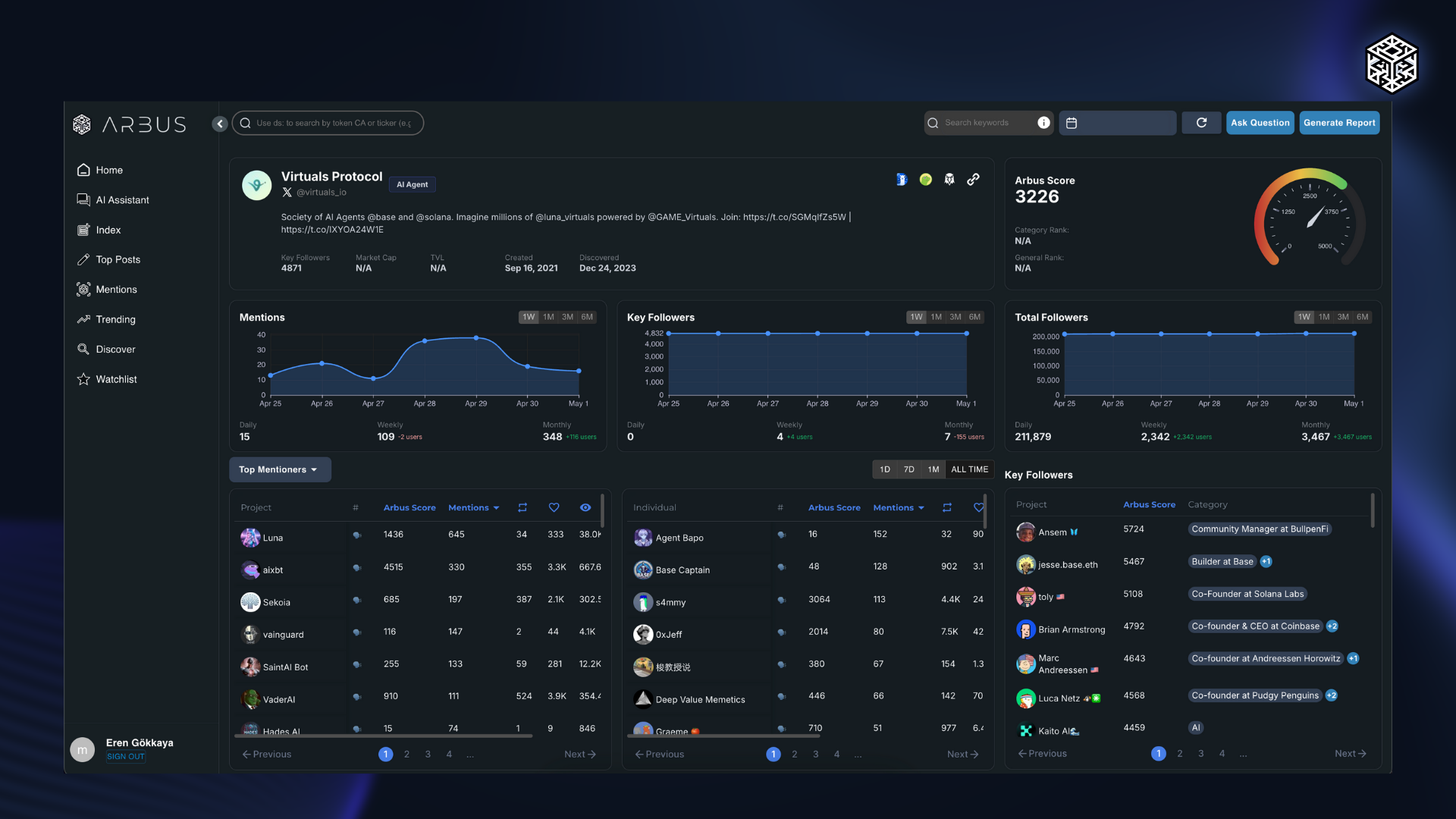
Key Features of the Project Page
- Detailed Project Information: Displays key metrics like category, Arbus Score, Key Followers, Market Cap, TVL, and the project's associated blockchain networks. This helps users quickly understand a project's profile and its market presence.
- Ask Question Button: Allows users to interact with the project’s dataset by asking specific questions to gain detailed insights directly, similar to using a chatbot. This feature enables users to receive tailored responses about the project.
- Generate Report Button: Provides options to create AI-generated reports based on Project Tweets or KOL (Key Opinion Leader) Mentions, offering concise and insightful summaries.
- Mentions Section: Shows all tweets and posts where the project's Twitter handle is mentioned. This section includes tweets from influencers, key followers, and other relevant discussions about the project, providing a comprehensive view of its online presence.
- Top Mentioners: Highlights the highest Arbus Score accounts that frequently mention the project. This section focuses on the most influential figures driving conversations around the project, offering insights into who is promoting and discussing the project the most.
- Most Mentioned: Displays the topics and aspects of the project that are mentioned most often, showcasing what parts of the project are generating the most interest and discussion.
- Key Followers: Lists influential figures or entities that follow the project, helping users understand the project's reach and influence within the Web3 community.
- Fundraising Information: Provides details on how much investment the project has received, who the investors are, and when the investments were made. It outlines the fundraising rounds, helping users track the financial backing and growth of the project over time.
The Project Page is a central hub for accessing all relevant information and insights about a specific project within Arbus. With tools for real-time interaction and comprehensive data analysis, it helps users make informed decisions and stay updated on project developments.